| Printing Features | ||
| Print Speed | Up to 20mm/sec | |
| Resolution | 180 dpi / 128 dots | |
| Display | LCD size 58mm x 21mm | |
| Interface | USB | |
| Physical Specification | ||
| Color | White | |
| Dimensions (W x D x H) | 187mm (W) x 178mm (H) x 72mm (D) | |
| Weight | 0.76 kg | |
| Warranty Information | ||
| Warranty | 01 Year Warranty | |
| Supplies | ||
| Cartridge/ Toner Model No. | TZE-141,TZE-241,TZE-641 | |
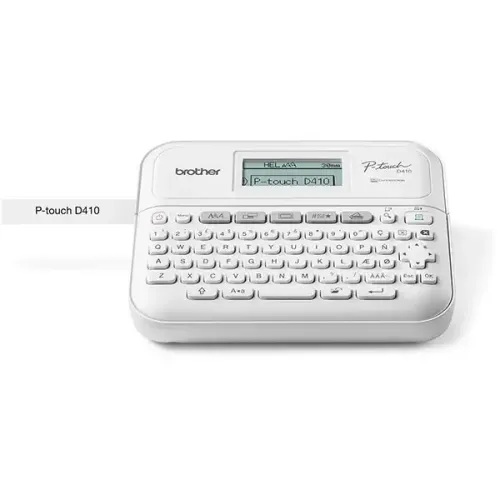
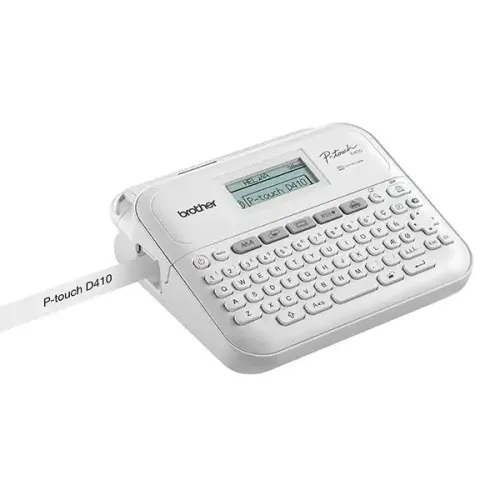
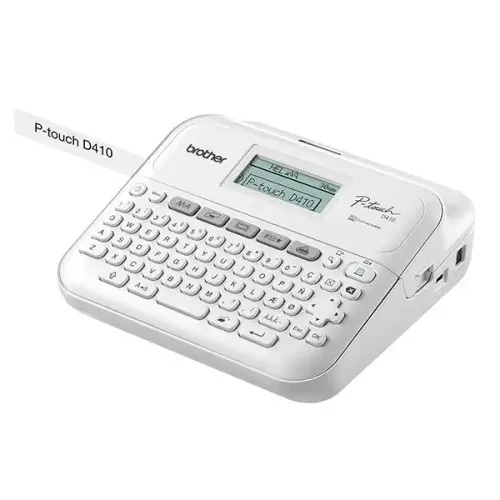
Brother PT-D410 Desktop Label Printer in Bangladesh
The Brother PT-D410 Desktop Label Printer is a reliable and easy-to-use labeling solution designed for office, business, and personal organization needs. From file labeling to cable management and product tagging, this device ensures clear, professional-quality labels every time. At ROSEN TECH, we provide genuine Brother products with trusted after-sales support in Bangladesh, making your purchase safe, fast, and value-driven.
Brother PT-D410 Desktop Label Printer Overview
The Brother PT-D410 is a compact desktop label printer built for high-quality labeling tasks. It supports easy USB connectivity and standalone operation, making it suitable for both beginners and professional users. Whether you are managing an office in Dhaka or running a small business anywhere in Bangladesh, this label printer improves workflow efficiency and organization.
At ROSEN TECH, we ensure authentic Brother devices with warranty support and competitive pricing, so customers get maximum value without compromise.
Key Features of Brother PT-D410 Label Printer
Fast & High-Quality Printing
The PT-D410 delivers sharp, durable labels ideal for long-term use in office and industrial environments.
Easy USB Connectivity
Connect effortlessly to your computer and start printing labels within minutes.
Standalone Printing Option
You can print labels without needing continuous PC connection, offering more flexibility.
Compact Desktop Design
Perfect for small office desks and retail counters with limited space.
Versatile Label Usage
Suitable for file labeling, barcode tags, cable marking, and inventory management.
Why Choose Brother PT-D410 from ROSEN TECH?
Choosing ROSEN TECH means you are not just buying a product—you are securing trust and service.
- 100% authentic Brother product guarantee
- Competitive pricing in Bangladesh market
- Reliable customer support and warranty service
- Fast delivery across Bangladesh
- Trusted IT & office equipment supplier
Unlike other sellers, ROSEN TECH focuses on customer satisfaction, long-term reliability, and genuine product assurance.
Use Cases of Brother PT-D410 Label Printer
Office Documentation Management
Helps organize files, folders, and archives with clear labeling.
Small Business Inventory System
Perfect for tagging products and managing stock efficiently.
Cable & Network Labeling
Useful for IT professionals and networking setups.
Home Organization
Ideal for personal storage, kitchen items, and household organization.
Information
If you are searching for a reliable desktop label printer in Bangladesh, the Brother PT-D410 is designed to meet professional labeling needs with ease. It bridges the gap between manual labeling and automated efficiency, making it a smart upgrade for any office or business.
For users transitioning from basic labeling methods, this device ensures faster workflow, better accuracy, and a more professional appearance in documentation and product labeling systems.
Order Brother PT-D410 from ROSEN TECH
👉 Upgrade your office or business labeling system today
👉 Get 100% genuine Brother PT-D410 from ROSEN TECH
👉 Enjoy fast delivery anywhere in Bangladesh
📦 Order now from ROSEN TECH and make your workflow more professional and organized!
FAQs – Brother PT-D410 Desktop Label Printer
What is Brother PT-D410 used for?
It is used for printing labels for files, cables, inventory, and office organization.
Is Brother PT-D410 suitable for small businesses?
Yes, it is perfect for small and medium businesses for product and inventory labeling.
Does it support USB connection?
Yes, it supports USB connectivity for easy computer printing.


Reviews
There are no reviews yet.