

| General | ||
| Functions | Print, Scan, Copy | |
| Printer Type | Multi Function Color Ink Printer | |
| Output Color | Color | |
| Technology | HP Thermal Inkjet | |
| Print Speed | Print speed black: ISO: Up to 7.5 ppm Draft: Up to 20 ppm Print speed color: | |
| Print Resolution | Color: Up to 4800 x 1200 optimized dpi color (when printing from a computer on selected HP photo papers and 1200 input dpi) Black: Up to 1200 x 1200 rendered dpi | |
| First Print Out Time | Black: As fast as 15 sec [3] | |
| Duty Cycle up to (Yield) | Up to 1000 pages (Monthly) | |
| Duplex | Manual (driver support provided) | |
| Copy | ||
| Copy Resolution | Copy resolution (black text) Up to 600 x 300 dpi Copy resolution (color text and graphics) Up to 600 x 300 dpi | |
| Scan | ||
| Scan Type | Flatbed | |
| Scan Resolution | Up to 1200 dpi | |
| Maximum Scan Size | 216 x 297 mm | |
| Paper Information | ||
| Paper Size | A4; B5; A6; DL envelope MEDIA SIZES, CUSTOM: 89 x 127 to 215 x 279 mm | |
| Paper Type | Plain paper, Photo paper, Brochure paper | |
| Paper Weight | 75 g/m² | |
| Input Capacity | 60 sheet | |
| Output Capacity | 25-sheet | |
| Technical Specs | ||
| Memory | 128 MB Storage (MB/GB/TB) 32MB | |
| Connectivity | USB | |
| Power Consumption | 220 to 240 VAC, 50/60 Hz, 0.05 watts (off), 1.83 watts (ready), 0.83 watt (sleep), 0.05 watts (auto-off) | |
| Physical Specs | ||
| Color | White | |
| Dimension | 425.2 x 304.1 x 149.1 mm | |
| Weight | 3.42 kg | |
| Support | ||
| Toner/ Cartridge/ Refill | 3YM61AE HP 305 Black (120 pages), 3YM62AE HP 305XL Black (240 pages), 3YM60AE HP 305 Tri-Color (100 pages), 3YM63AE HP 305XL Tri-Color (200 pages). (Please make sure your existing & mentioned toner/cartridge/ink bottle models are the same before buying a new one) | |
| Software | Windows 10, 7 | |
| Warranty Information | ||
| Warranty | 1-year Limited warranty, an Adapter/Power Cable with no warranty, and also a Box Mandatory While Claiming. | |
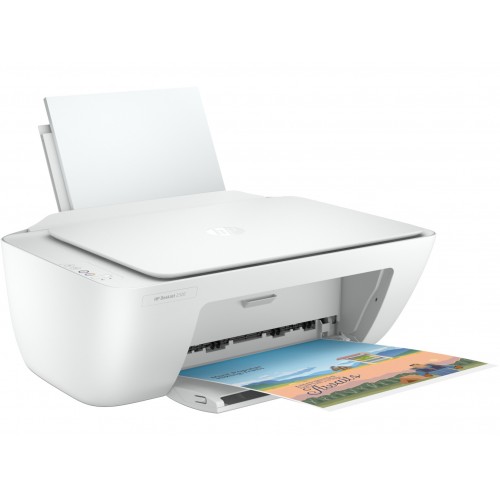
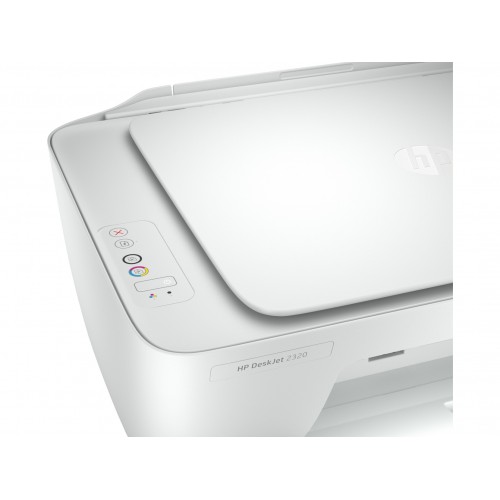
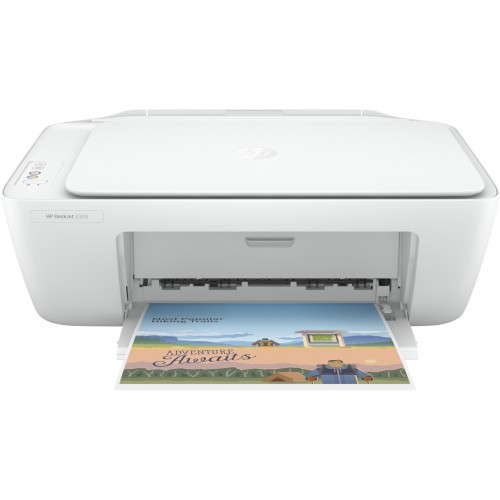
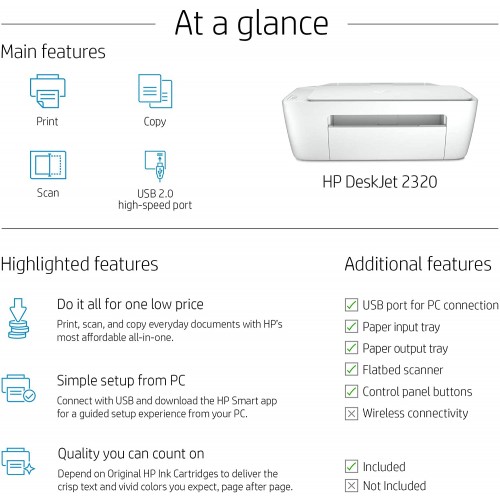
HP DeskJet 2320 All-in-One Printer
Looking for an affordable HP DeskJet 2320 All-in-One Printer in Bangladesh for everyday printing, scanning, and copying? The HP DeskJet 2320 is a compact inkjet printer designed for students, home users, and small offices that need essential document-handling features in one device.
Key Features of HP DeskJet 2320
- 3-in-1 functionality: Print, scan, and copy documents with one compact printer.
- Print speed: Up to 7.5 pages per minute (black) and 5.5 pages per minute (colour), based on HP’s ISO-rated specifications.
- Print resolution: Up to 1200 × 1200 rendered dpi for black printing.
- USB connectivity: Connect directly to a compatible computer through Hi-Speed USB 2.0.
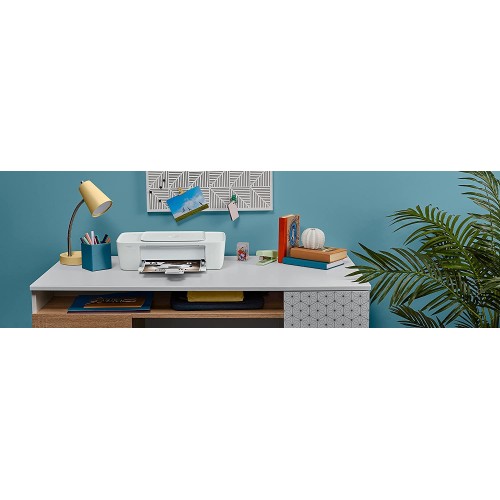
- Compact design: Weighs approximately 3.42 kg, making it suitable for desks and home workspaces.
- Everyday productivity: A 60-sheet input tray supports routine printing needs.
The printer does not have built-in Wi-Fi, so check your connectivity requirements before purchasing. <Cite refs={[“turn799562search0″,”turn799562search1”]}/>
Why Buy HP DeskJet 2320 from ROSEN TECH?
At ROSEN TECH, you can explore practical printer solutions for home, education, and everyday office use. Before ordering, contact our team to confirm the latest HP DeskJet 2320 printer price in Bangladesh, stock availability, cartridge compatibility, and applicable warranty.
For additional confidence, compare the model number with the official HP DeskJet 2320 product page. For an individual unit, request a valid purchase invoice and check its serial number and warranty eligibility through HP’s official support resources. The manufacturer’s listing verifies the product model, but does not by itself authenticate a particular seller or unit.
Ready to buy? Contact ROSEN TECH to check availability and purchasing details for the HP DeskJet 2320 All-in-One Printer.
Frequently Asked Questions (FAQ)
1. What is the HP DeskJet 2320 All-in-One Printer price in Bangladesh?
The price may vary depending on availability and warranty terms. Contact ROSEN TECH for the latest price and purchasing options.
2. Can the HP DeskJet 2320 print, scan, and copy?
Yes. It supports all three functions, making it useful for everyday documents, study materials, and basic office tasks.
3. Does the HP DeskJet 2320 support Wi-Fi?
No. This model uses USB connectivity and does not have built-in wireless networking. <Cite refs={[“turn799562search0″,”turn799562search1”]}/>
4. How can I check whether my HP printer is genuine?
Check the product and serial number, request a valid invoice, and verify warranty eligibility using HP’s official support website. An official model listing alone does not confirm the authenticity of an individual unit.
5. Where can I buy the HP DeskJet 2320 in Bangladesh?
You can contact ROSEN TECH to enquire about current stock, price, and applicable warranty terms before placing an order.


Reviews
There are no reviews yet.